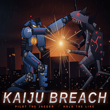
If you enjoy giant monsters, intense battles, and the idea of controlling a powerful creature or fighting one with a giant robot, Kaiju Breach may catch your attention. The name is also associated with browser-based kaiju fighting games, so it is worth checking which version you are looking for before downloading anything.
A recently released Android game titled Kaiju breach is available on the indie game platform itch.io. It is credited to an independent creator named Jeoni, and its listing identifies Android and HTML5 as supported platforms. The creator has also announced an APK release, making it possible to try the game on a compatible Android device.
This guide explains what is currently known about Kaiju Breach, where to find its APK, how to install it, and what to check before opening a file from outside the Play Store.
What Is Kaiju Breach?
Kaiju breach is an independent action game published by Jeoni on itch.io in November 2026. Its listing describes it as an Android and HTML5 release, and the creator has provided an APK file for Android users. The available listing is relatively new, so players should treat it as an early indie release rather than an established mobile game with a long update history.
One important detail is the spelling: the itch.io title appears as Kaiju breach, with a lowercase “b”. Searching only for “Kaiju Breach APK” may also bring up unrelated projects or browser games using similar names. Check the creator and original listing before downloading.
The term kaiju generally refers to enormous fictional monsters, often seen in Japanese science-fiction films and games. That theme creates an obvious appeal for action-game fans, but the title alone should not be treated as proof of particular characters, missions, weapons, or gameplay modes. Those details should be confirmed through the actual game rather than assumed from its name.
Kaiju Breach Features and What to Expect
Because the game is a fresh independent release, its feature set should be judged by what is actually available rather than by assumptions based on larger kaiju games. The itch.io page currently identifies it as an action title and offers an Android APK measuring approximately 6.4 MB. It also provides an HTML5 version.
Here are the practical points worth knowing:
1. Android APK availability
The main reason people search for Kaiju Breach APK Download is to install the game directly on an Android phone or tablet. The creator's itch.io page currently lists an APK file, so there is a direct source for the Android build.
The file is small compared with many modern mobile games. That makes it easier to download, especially on a limited data connection. However, a small APK does not automatically mean the game will run smoothly on every phone. Device compatibility, Android version, controls, and performance still matter.
2. Action-focused gameplay
The game is presented as a Pacific Rim-inspired action experience. That gives players an idea of its giant-monster theme and overall direction. However, the listing does not provide a detailed breakdown of combat systems, playable characters, stages, or progression.
It is sensible to try the available build and see how its mechanics work before expecting a full-scale fighting game. An early indie release can change quickly as its creator adds features and fixes problems.
3. HTML5 version
The itch.io page also lists HTML5 as a supported platform. This is useful because players may be able to run the browser version without installing an Android package.
If you only want to test the game, trying the browser build first can be a practical option. It also helps avoid installing an APK before you know whether the gameplay interests you.
4. An actively updated indie project
The page shows that the game was published on 15 November 2026 and received an update on 25 November 2026. That is a short development history, but it suggests the creator is still making changes.
For players, active development can be encouraging. It also means the experience may not be as polished or predictable as a finished commercial release. Controls, sound, and compatibility may improve over time.
Gameplay: What Is It Like in Practice?
The available listing labels Kaiju Breach as an action game and describes it as a Pacific Rim-style experience. That is enough to establish its broad theme, but not enough to make detailed claims about its combat mechanics or game modes.
A useful way to approach it is to treat the current APK as a small indie game that you are testing. Start by learning the controls, checking how the action responds to your inputs, and seeing whether the game runs consistently on your device.
There are already some useful clues in the player comments. Several users have mentioned missing sound or sound effects, while another asked how to move on mobile. One comment also reports that the game did not work on PC. These are individual player reports, not confirmed problems affecting every device, but they highlight why it is worth checking the latest version and reading recent feedback.
What most people overlook: a game can technically support Android while still needing work on touchscreen controls. If movement feels awkward, check whether the latest update has improved the control layout before assuming your phone is the problem.
How to Download Kaiju Breach APK
The safest place to look for the Android package is the creator's original itch.io page. Avoid choosing a random download site simply because it appears near the top of search results.
Follow these steps:
-
Open the official creator page
-
Find the Download section and check the listed APK filename and file size.
-
Select the available Android APK download.
-
Wait for the file to finish downloading.
-
Open your phone's Downloads folder and locate the APK.
-
Tap the file and review the Android installation prompt.
-
If Android blocks the installation, check the permission prompt for the app or browser you used to download it.
-
Install the game only if you are confident the file came from the creator's page.
The listing currently shows a file named Kaiju breach_5.apk, with a size of approximately 6.4 MB. File names and sizes can change when the developer uploads another build, so check the page again rather than relying on an old filename.
How to Install the APK on Android
Android normally restricts installations from sources other than the Play Store. If you download an APK directly, your phone may ask you to allow the browser or file manager to install unknown apps.
On many Android devices, the process looks like this:
-
Open Settings when prompted.
-
Find the option for installing unknown apps. It is often under Apps or Special app access.
-
Select the browser or file manager you used.
-
Allow installation from that source temporarily.
-
Return to the downloaded APK and continue the installation.
Menu names vary between Android brands and software versions. Once installation is complete, you can turn that permission off again.
If Android displays a warning, do not dismiss it automatically. Check the file source and requested permissions first. A simple action game should not need access to unrelated personal information such as contacts or messages.
Common Problems and Practical Fixes
The APK will not install: Check that the download completed and that the file has not been damaged. Also make sure your device supports the Android version required by the build. The public listing does not provide a detailed minimum-version specification, so compatibility cannot be guaranteed for every phone.
The game opens but does not run properly: Restart the app and close other demanding applications. If the issue continues, check the creator's page for a newer build. Avoid downloading unofficial replacement files from unknown websites.
There is no sound: Some recent player comments report missing audio or sound effects. This may be a limitation of the current build rather than a fault with your phone. Check your media volume, then look for an update or developer announcement.
The controls are confusing: Give yourself a moment to test the on-screen controls. Mobile controls can take some adjustment, particularly in games originally designed around keyboard or controller input. If movement is not responding, check the game's latest comments for similar reports.
The download page looks different: Indie developers can replace files as they update a project. Always use the current download shown on the original page instead of relying on an old third-party link.
Is Kaiju Breach APK Safe to Download?
The original itch.io page is the most reliable starting point because it is the creator's own published listing. That does not mean every APK carrying the same name is trustworthy. Unofficial copies may be outdated, modified, or bundled with unwanted software.
Before installing, keep these precautions in mind:
-
Download from the creator's page rather than an unfamiliar APK mirror.
-
Check the filename and file size against the current listing.
-
Avoid modified versions advertising unlimited features or unlocked content unless the creator has explicitly released them.
-
Do not install additional apps or download managers just to access the game.
-
Review Android's security warnings and permissions.
-
Keep Google Play Protect or your device's built-in security protection enabled.
Also, do not confuse this indie Android release with other projects using similar kaiju-related names. A search result for a browser game or another monster-fighting title is not necessarily the same game.
Frequently Asked Questions
1. What is Kaiju Breach APK?
Kaiju Breach APK is the Android installation package for Kaiju breach, an independent action game by Jeoni. The creator publishes it on itch.io, where the game is listed for Android and HTML5.
2. Where can I download Kaiju Breach APK?
You can find the Android download on the creator's itch.io page: jeoni.itch.io/kaiju-breach. Check the current filename and version information before downloading.
3. Is Kaiju Breach available on the Google Play Store?
The creator's itch.io page provides an APK download, but the listing does not establish that the game is available on Google Play. Use the original page to find the confirmed Android release rather than trusting unrelated listings.
4. Is Kaiju Breach free to play?
The itch.io listing provides a downloadable game, but its current page should be checked for the latest pricing or payment information. Do not assume that a third-party website offering a free APK is an authorised source.
5. Can I play Kaiju Breach on a computer?
The game listing includes HTML5 and Android as its supported platforms. It does not currently list a separate Windows executable. The creator has also discussed working on an executable version, so check the original page for future platform updates.
6. Why does Kaiju Breach have no sound?
Some players have reported missing sound and sound effects in the current release. Check your device's media volume, but remember that the issue may be related to the game build itself. Look for updates from the creator.
7. Why are the mobile controls difficult to use?
The touchscreen controls may need improvement or adjustment. Try the available on-screen inputs carefully and check recent player feedback for guidance. A future update may change how movement works.
8. Is it safe to install an APK outside the Play Store?
It can be reasonable to install an APK from a developer's verified page, but sideloading always requires care. Confirm the source, inspect permissions, avoid modified copies, and do not ignore security warnings.
Conclusion
Kaiju Breach is a small, recently released indie action game with an Android APK available through Jeoni's itch.io page. Its Pacific Rim-inspired theme may appeal to players who enjoy giant monsters and robot-versus-monster action, while the HTML5 version offers another way to try the project.
However, it is still an early release. Player feedback points to areas that may need improvement, including sound and mobile controls. That is worth remembering before expecting the polish of a major commercial game.
If you want to try it, visit the creator's original itch.io page, download the latest APK listed there, and install it carefully. Avoid unofficial copies and check for updates before troubleshooting. That simple approach gives you a better chance of enjoying the game without unnecessary download or security problems.